
Table of Contents
Introduction
The C3pay app is widely used in the UAE to manage salaries and financial services for laborers and employees. If you’ve recently received a C3pay card and are wondering how to register, create your account, and view your ATM PIN within just 2 minutes, you’re in the right place. This guide provides a complete walkthrough from app installation to accessing your ATM PIN and using key services.
Step-by-Step Process to Create C3pay Account
Follow these steps carefully to register and activate your C3pay account:
- Open Play Store and install the C3pay app.
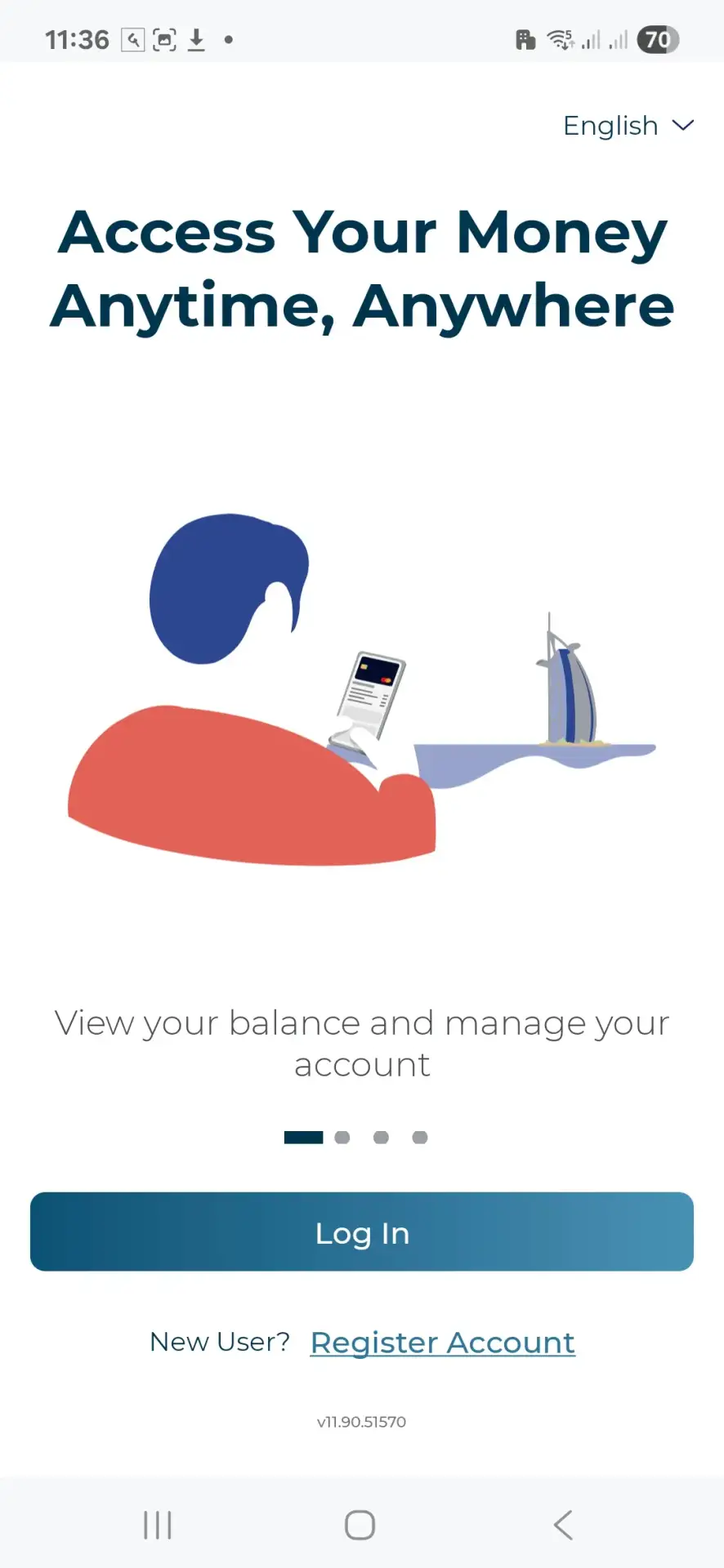
- Once installed, open the app. You will see two options: Login and Register Account. Click on Register Account if you’re a new user.
- Select your preferred language (e.g., English or Hindi), then tap Proceed.
- You’ll be prompted to keep your C3pay card and Emirates ID ready. Click I’m Ready.
- Select your card type. If you have a black card, choose Black Card.
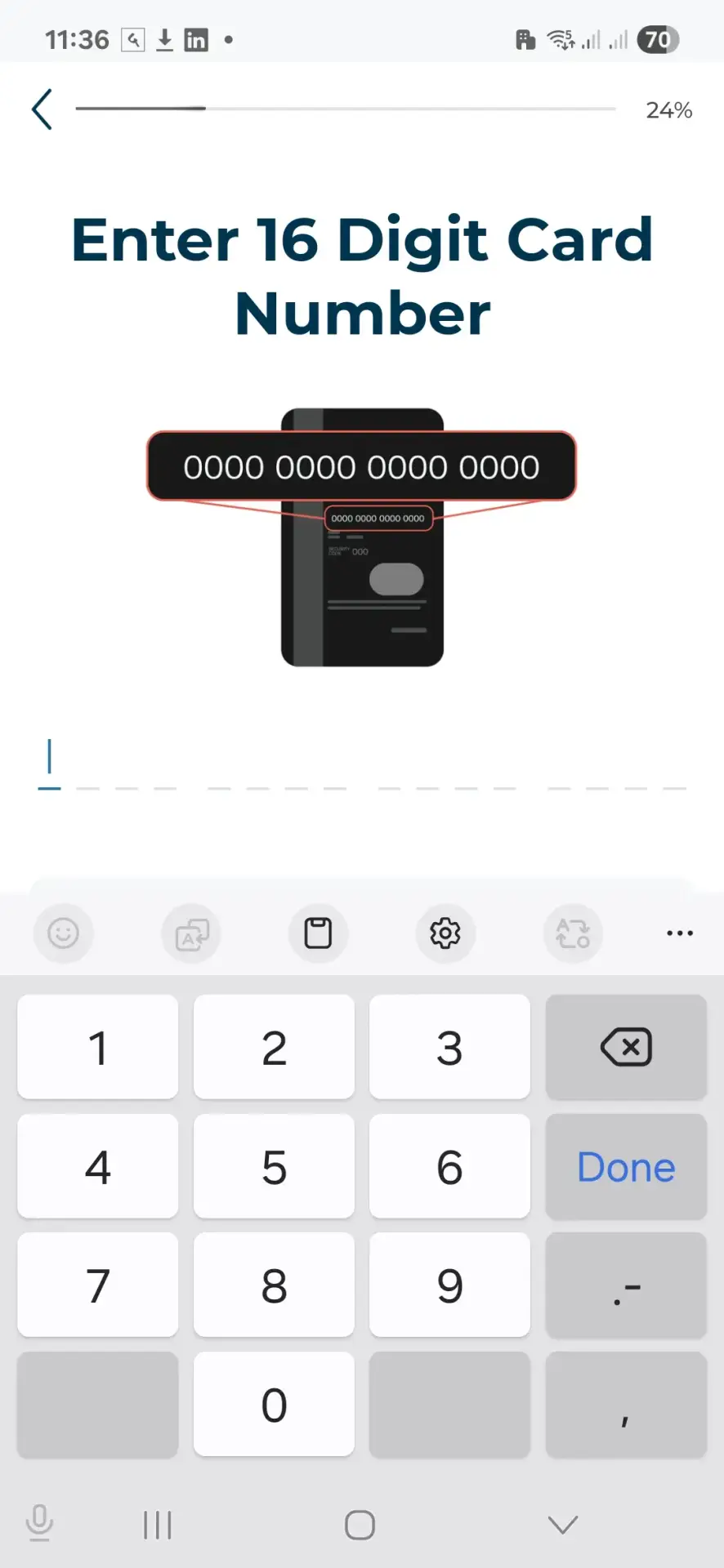
- Enter the 16-digit number from the front of your card.
- Enter the 3-digit CVV code from the back of your card.
- Click Next.
- Enter your mobile number and click Next.
- Enter the OTP (One-Time Password) sent to your mobile number.
- Create a secure password and click Next.
- Read the Terms and Conditions carefully, then check the box to accept them.
- Click Next to begin the Emirates ID verification process.
- Capture a photo of the front side of your Emirates ID using your phone’s camera.
- Then take a photo of the back side of your Emirates ID.
- The app will auto-fill your details from the ID. Review and correct any errors.
- Click Next to proceed to selfie verification.
- Take a selfie using your front camera. If it’s blurry, retake it. If it’s clear, click Continue.
- Once completed, you’ll see a congratulatory message confirming successful login.
- Click Continue to proceed to the dashboard.
- Enter your email ID and click Next.
- You will see an option to subscribe to security SMS notifications for AED 3/month. You may choose to subscribe or skip.
How to View Your New ATM PIN
- Go to the app dashboard and find the option to View ATM PIN.
- Enter your 16-digit ATM card number again.
- Enter the 3-digit CVV code.
- Click Next. Ensure no one is watching your screen for security.
- Click Show ATM PIN. Your PIN will be visible on the screen.
- Memorize or write down the PIN securely. You’ll need it to withdraw money at ATMs.

Services Available on C3pay
After logging in, you’ll find various services on the C3pay dashboard, including:
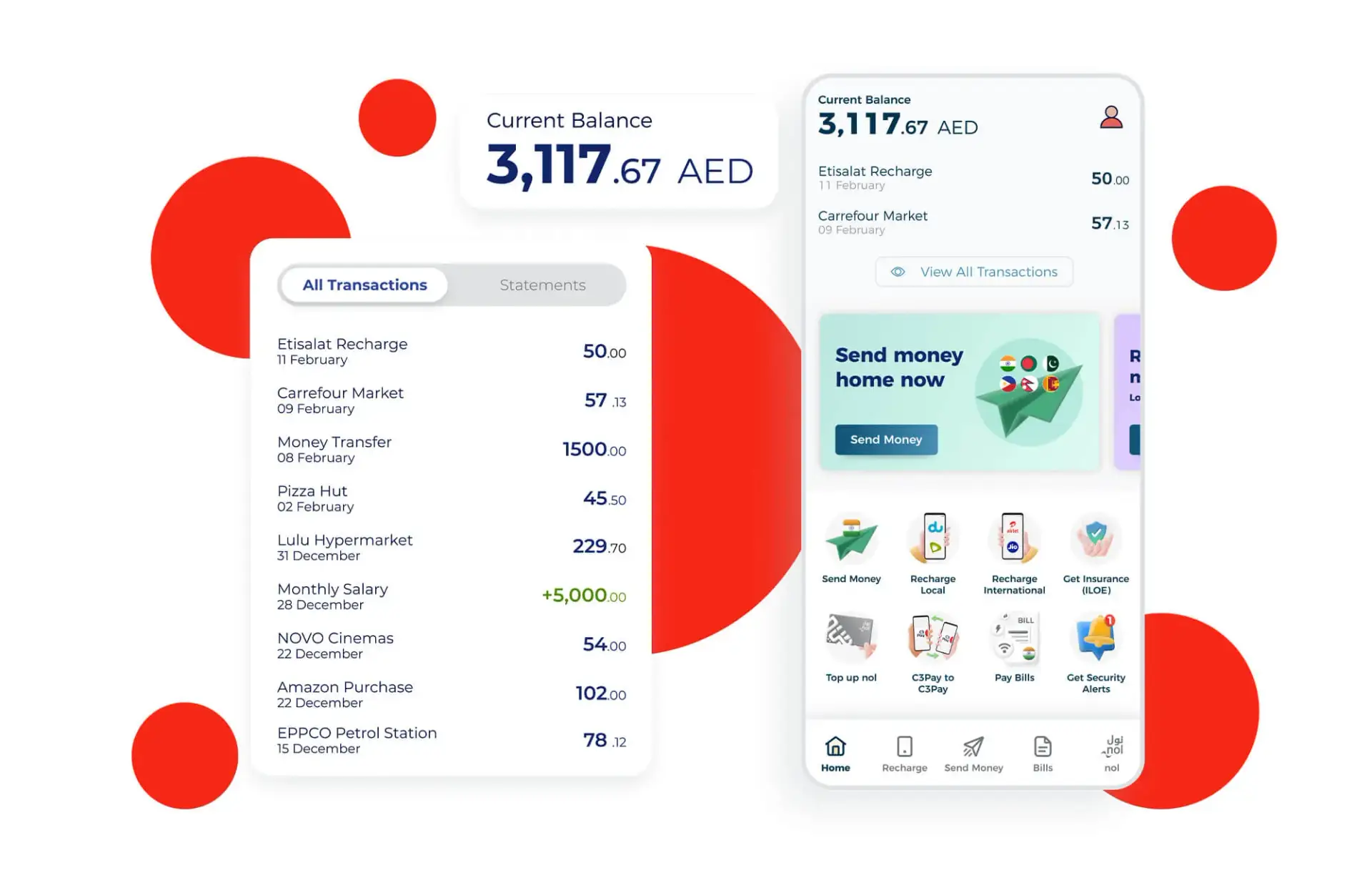
- Check your current balance (requires AED 3/month subscription)
- Send money locally in the UAE or to India
- Recharge mobile phones
- Tap and recharge your NOL (bus) card
- Send money from C3pay to other C3pay accounts
- Purchase or activate insurance services
Frequently Asked Questions
What is C3pay?
C3pay is a mobile application used to manage salaries, send money, and access financial services for users in the UAE, especially those with prepaid payroll cards.
Is the registration process free?
Yes, registering your C3pay account is completely free.
What is the AED 3/month fee for?
This fee is for optional services like security SMS alerts and balance visibility. You may skip it if you don’t want those features.
Can I change my ATM PIN?
Yes, after registering and logging in, you can view and manage your ATM PIN from the app.
What to do if my Emirates ID is not accepted?
Ensure the ID is valid and the photos are clear. Try again in good lighting or contact C3 support.
How long does it take to activate the account?
The full registration and activation process takes less than 2 minutes if all documents are ready.
Can I use C3pay without subscribing to SMS alerts?
Yes, subscribing to alerts is optional. You can skip it during registration or unsubscribe later.
Can I send money to India using C3 Pay?
Yes, C3pay allows international money transfers to India and other countries.
Where can I get more guides like this?
Visit our Woorely homepage for more tutorials. Also check:


Thank for your article. It helps me a lot..